Control Panel กำลังหายไป! Microsoft
เริ่มย้ายการตั้งค่าต่างๆ ใน Control Panel ไปยัง Settings App แล้ว
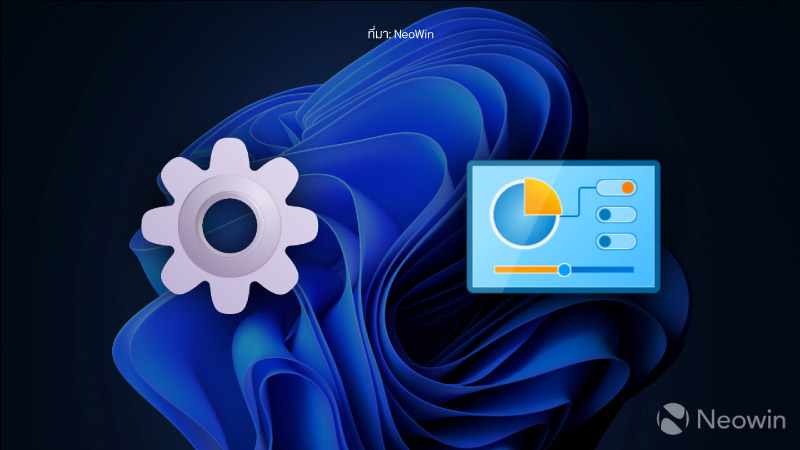
Control Panel กำลังหายไป! Microsoft เริ่มย้ายการ ตั้งค่าต่างๆ ใน Control Panel ไปยัง Settings App แล้ว
ในสัปดาห์นี้ Microsoft ก็เดินหน้าปรับปรุง Windows 11 ด้วยการย้ายการตั้งค่าคีย์บอร์ดจาก Control Panel มาสู่แอป Settings ที่ทันสมัยและใช้งานง่ายยิ่งขึ้น โดยเริ่มทดสอบใน Windows 11 เวอร์ชัน Preview ล่าสุด ผู้ใช้สามารถตั้งค่า Character repeat delay และ Repeat rate ผ่านแถบเลื่อน พร้อมมีช่องให้ทดลองพิมพ์ดูผลได้ทันที โดยเข้าที่ Settings > Accessibility > Keyboard ซึ่งมาแทนตำแหน่งเดิมใน Control Panel > Keyboard > Speed
อย่างไรก็ตาม การตั้งค่า Cursor blink rate ยังไม่ถูกย้ายมา และ Microsoft ก็ยังไม่ได้ประกาศแผนเพิ่มเติมในรอบนี้ แนวโน้มนี้สะท้อนชัดว่า Microsoft มุ่งรวมทุกการตั้งค่าไว้ใน Settings เพื่อลดการพึ่งพา Control Panel และยกระดับประสบการณ์การใช้งานให้ทันสมัยยิ่งขึ้น
ที่มา: NeoWin
<p style="text-align:center"><span style="font-size:36px"><strong>Control Panel กำลังหายไป! Microsoft</strong></span></p>
<p style="text-align:center"><span style="font-size:36px"><strong>เริ่มย้ายการตั้งค่าต่างๆ ใน Control Panel ไปยัง Settings App แล้ว</strong></span></p>
<p style="text-align:center"> </p>
<p style="text-align:center"><span style="font-size:36px"><strong><img alt="" src="https://www.jib.co.th/img_master/uploads/Content_5_/IT_NEWS/202505/20250505/20250505-ITNEWS-800-01.jpg" style="height:450px; width:800px" /></strong></span></p>
<p style="text-align:center"> </p>
<p><span style="font-size:22px"> <strong>Control Panel</strong> กำลังหายไป! <strong>Microsoft</strong> เริ่มย้ายการ ตั้งค่าต่างๆ ใน <strong>Control Panel</strong> ไปยัง <strong>Settings App</strong> แล้ว</span></p>
<p><br />
<span style="font-size:22px"> ในสัปดาห์นี้ <strong>Microsoft</strong> ก็เดินหน้าปรับปรุง <strong>Windows 11</strong> ด้วยการย้ายการตั้งค่าคีย์บอร์ดจาก <strong>Control Panel</strong> มาสู่แอป <strong>Settings</strong> ที่ทันสมัยและใช้งานง่ายยิ่งขึ้น โดยเริ่มทดสอบใน <strong>Windows 11</strong> เวอร์ชัน Preview ล่าสุด ผู้ใช้สามารถตั้งค่า <strong>Character repeat delay</strong> และ <strong>Repeat rate</strong> ผ่านแถบเลื่อน พร้อมมีช่องให้ทดลองพิมพ์ดูผลได้ทันที โดยเข้าที่ <strong>Settings > Accessibility > Keyboard</strong> ซึ่งมาแทนตำแหน่งเดิมใน <strong>Control Panel > Keyboard > Speed</strong><br />
<br />
อย่างไรก็ตาม การตั้งค่า <strong>Cursor blink rate</strong> ยังไม่ถูกย้ายมา และ <strong>Microsoft</strong> ก็ยังไม่ได้ประกาศแผนเพิ่มเติมในรอบนี้ แนวโน้มนี้สะท้อนชัดว่า <strong>Microsoft</strong> มุ่งรวมทุกการตั้งค่าไว้ใน <strong>Settings</strong> เพื่อลดการพึ่งพา <strong>Control Panel</strong> และยกระดับประสบการณ์การใช้งานให้ทันสมัยยิ่งขึ้น</span></p>
<p> </p>
<p style="text-align:center"><em><span style="font-size:12px">ที่มา: <a href="https://www.neowin.net/news/microsoft-moves-more-control-panel-elements-to-the-settings-app-in-windows-11/?fbclid=IwY2xjawKE_59leHRuA2FlbQIxMABicmlkETFUb2VpN1hwWmNEbjFtZHFCAR74zpxV6oU0pJIMwuV6XuIFJfEFFbrN4RlscfZYSkGybbrT6d8EG9s7qmvnHQ_aem_RP4USWDfzzF4oMtAKWGQPw#google_vignette" target="_blank">NeoWin</a></span></em></p>
<p style="text-align:center"> </p>


