ข่าวสารทั่วไป
- หน้าแรก
- ข่าวสารทั่วไป
- NVIDIA ปล่อยไดรเวอร์ GeForce 596.36 WHQL Game Ready อย่างเป็นทางการ
NVIDIA ปล่อยไดรเวอร์ GeForce 596.36 WHQL Game Ready อย่างเป็นทางการ
รองรับ RTX 5070 Laptop GPU พร้อมทั้งแก้บั๊กในเกมหลายตัว
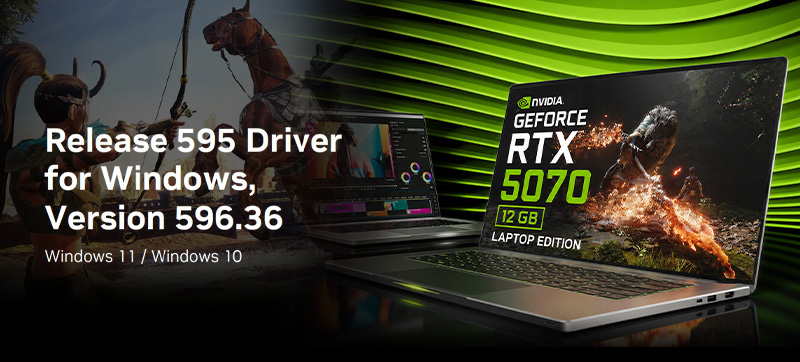
NVIDIA ได้ปล่อยไดรเวอร์ GeForce 596.36 WHQL (Windows Hardware Quality Labs) อย่างเป็นทางการ โดยจังหวะการออกไดรเวอร์ครั้งนี้ตรงกับการอัปเดตครั้งใหญ่ของเกม Conan Exiles Enhanced ซึ่งมีการปรับปรุง rendering pipeline และการนำเสนอภาพกราฟิกใหม่ทั้งหมด ไดรเวอร์ตัวนี้รองรับเทคโนโลยี DLSS 4.5 และมีขนาดไฟล์ประมาณ 958.86 MB รองรับการใช้งานบน Windows 10 และ Windows 11
ในด้านฮาร์ดแวร์ใหม่ ไดรเวอร์เวอร์ชันนี้เพิ่มการรองรับ GeForce RTX 5070 Laptop GPU อย่างเป็นทางการ การ์ดจอรุ่นนี้มาพร้อมหน่วยความจำ 12 GB และออกแบบมาสำหรับแล็ปท็อปสมัยใหม่โดยเฉพาะ เพื่อให้รองรับเทคโนโลยีภาพล่าสุดของ NVIDIA ได้อย่างเต็มประสิทธิภาพ
นอกจากนี้ ไดรเวอร์ยังแก้ไขบั๊กในเกมหลายตัว ได้แก่ ปัญหาเท็กซ์เจอร์กะพริบเป็นสีขาวใน God of War: Ragnarök, ปัญหาภาพกระพริบของชุดตัวละครใน Assassin's Creed Shadows, และปัญหาหญ้ากับต้นไม้แสดงผลผิดปกติใน The Crew Motorfest สำหรับผู้ใช้โปรแกรมด้านครีเอทีฟ ยังมีการแก้ไขปัญหา non-shader nodes ที่เรนเดอร์เป็นสีดำใน Blender 5.0.1 EEVEE อีกด้วย
ที่มา: TECHPOWERUP
<p style="text-align:center"><span style="font-family:arial,helvetica,sans-serif"><strong><span style="font-size:36px">NVIDIA ปล่อยไดรเวอร์ GeForce 596.36 WHQL Game Ready อย่างเป็นทางการ</span></strong></span></p>
<p style="text-align:center"><span style="font-size:28px"><span style="font-family:arial,helvetica,sans-serif"><strong>รองรับ RTX 5070 Laptop GPU พร้อมทั้งแก้บั๊กในเกมหลายตัว</strong></span></span></p>
<p style="text-align:center"> </p>
<p style="text-align:center"><span style="font-size:28px"><span style="font-family:arial,helvetica,sans-serif"><strong><img alt="" src="https://www.jib.co.th/img_master/uploads/Content_5_/IT_NEWS/202604/20260429/01-20260429-ITNEWS-800-02.jpg" style="height:362px; width:800px" /></strong></span></span></p>
<p style="text-align:center"> </p>
<p><span style="font-family:arial,helvetica,sans-serif; font-size:22px"> </span><span style="font-size:22px"><span style="font-family:arial,helvetica,sans-serif"><strong>NVIDIA </strong>ได้ปล่อยไดรเวอร์ <strong>GeForce 596.36 WHQL</strong> (Windows Hardware Quality Labs)</span></span> <span style="font-size:22px"><span style="font-family:arial,helvetica,sans-serif">อย่างเป็นทางการ โดยจังหวะการออกไดรเวอร์ครั้งนี้ตรงกับการอัปเดตครั้งใหญ่ของเกม <strong>Conan Exiles Enhanced</strong> ซึ่งมีการปรับปรุง rendering pipeline และการนำเสนอภาพกราฟิกใหม่ทั้งหมด ไดรเวอร์ตัวนี้รองรับเทคโนโลยี <strong>DLSS 4.5</strong> และมีขนาดไฟล์ประมาณ 958.86 MB รองรับการใช้งานบน <strong>Windows 10</strong> และ <strong>Windows 11</strong></span></span></p>
<p><span style="font-family:arial,helvetica,sans-serif; font-size:22px"> </span><span style="font-size:22px"><span style="font-family:arial,helvetica,sans-serif">ในด้านฮาร์ดแวร์ใหม่ ไดรเวอร์เวอร์ชันนี้เพิ่มการรองรับ <strong>GeForce RTX 5070 Laptop GPU</strong> อย่างเป็นทางการ การ์ดจอรุ่นนี้มาพร้อมหน่วยความจำ <strong>12 GB</strong> และออกแบบมาสำหรับแล็ปท็อปสมัยใหม่โดยเฉพาะ เพื่อให้รองรับเทคโนโลยีภาพล่าสุดของ <strong>NVIDIA</strong> ได้อย่างเต็มประสิทธิภาพ</span></span></p>
<p><span style="font-family:arial,helvetica,sans-serif; font-size:22px"> </span><span style="font-size:22px"><span style="font-family:arial,helvetica,sans-serif">นอกจากนี้ ไดรเวอร์ยังแก้ไขบั๊กในเกมหลายตัว ได้แก่ ปัญหาเท็กซ์เจอร์กะพริบเป็นสีขาวใน <strong>God of War: Ragnarök</strong>, ปัญหาภาพกระพริบของชุดตัวละครใน <strong>Assassin's Creed Shadows</strong>, และปัญหาหญ้ากับต้นไม้แสดงผลผิดปกติใน <strong>The Crew Motorfest</strong> สำหรับผู้ใช้โปรแกรมด้านครีเอทีฟ ยังมีการแก้ไขปัญหา non-shader nodes ที่เรนเดอร์เป็นสีดำใน <strong>Blender 5.0.1 EEVEE</strong> อีกด้วย</span></span></p>
<p> </p>
<p style="text-align:center"><em><span style="font-size:12px"><span style="font-family:arial,helvetica,sans-serif">ที่มา: <a href="https://www.techpowerup.com/348611/nvidia-releases-new-geforce-596-36-whql-game-ready-drivers" rel="noopener noreferrer" style="color: inherit; box-sizing: border-box; background-color: transparent; text-decoration: none;" target="_blank">TECHPOWERUP</a></span></span></em></p>


