








.jpg)
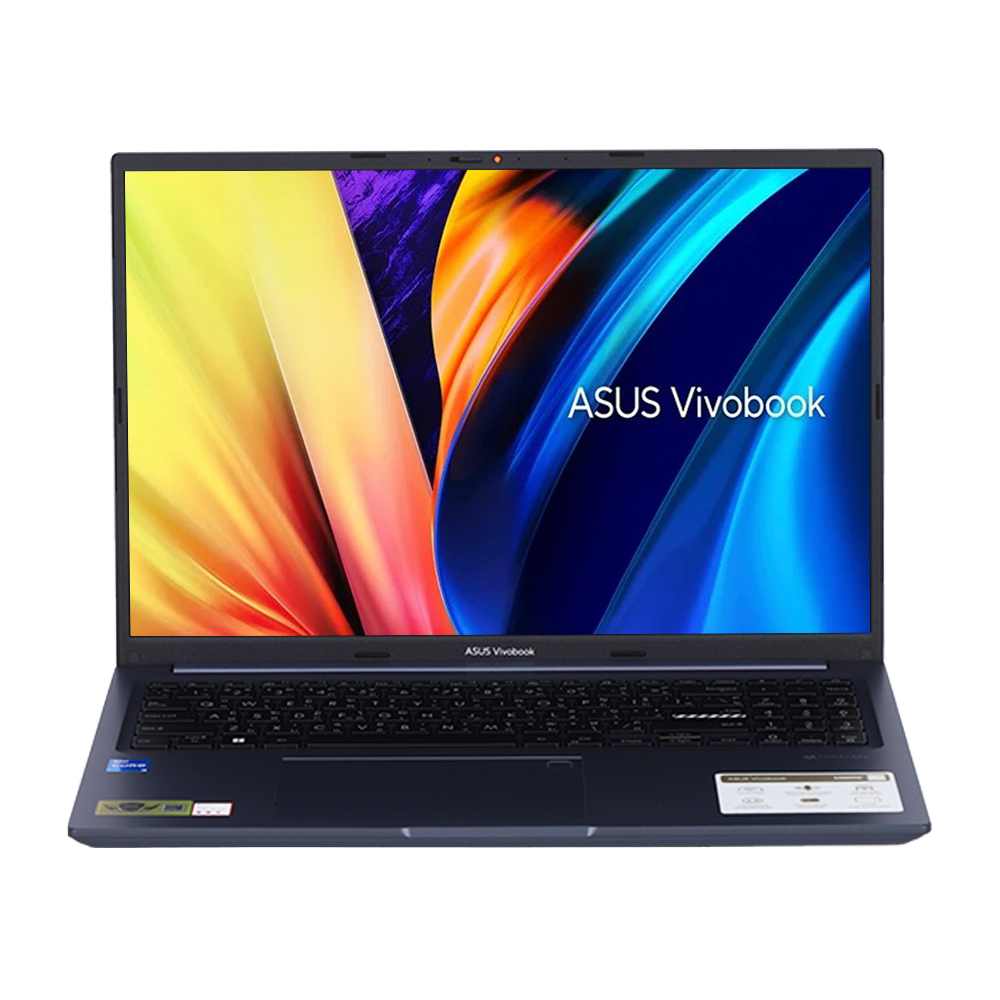
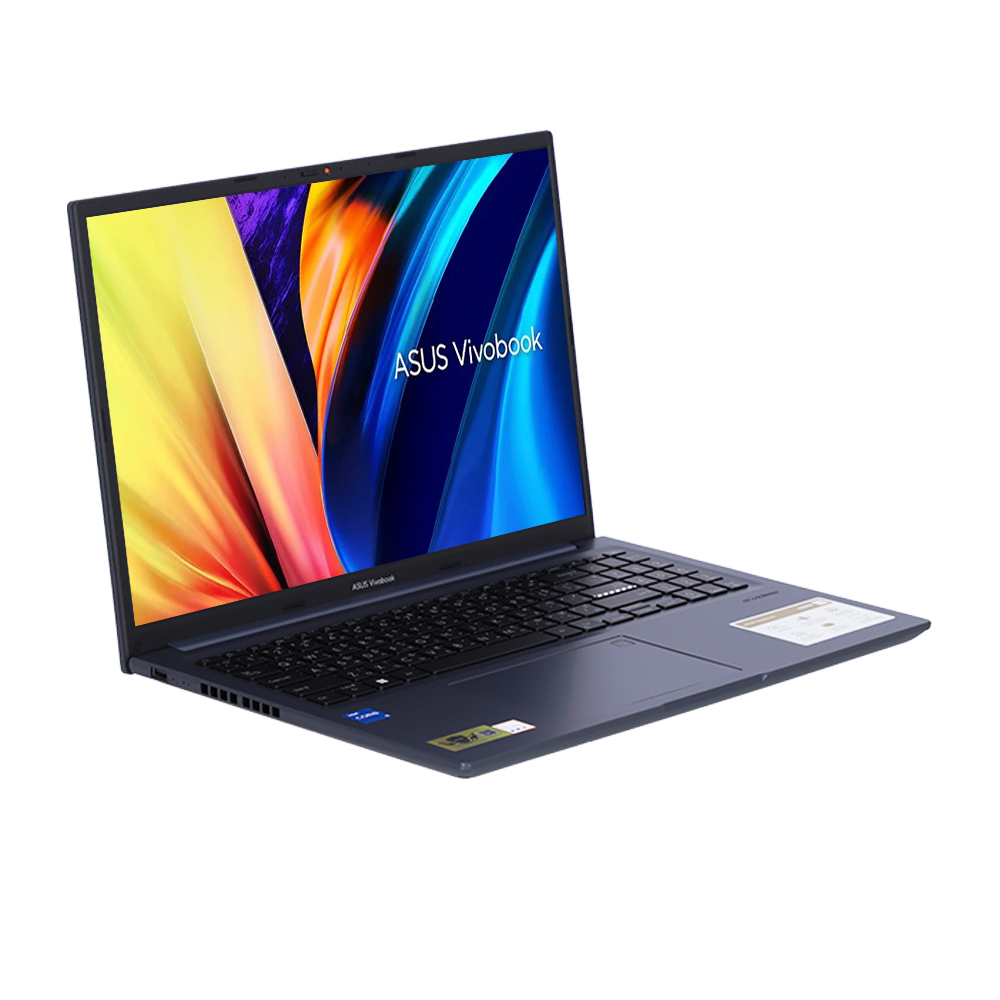
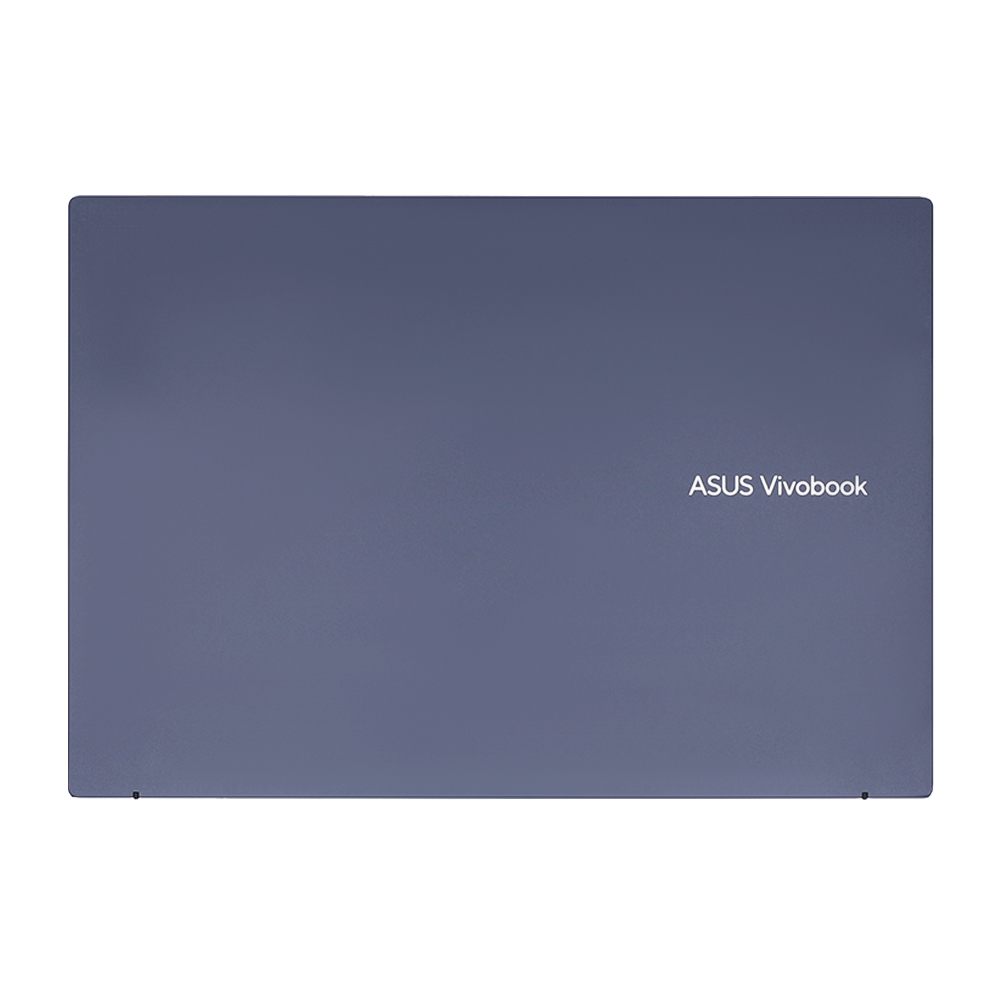
Make your world shine with ASUS Vivobook 16X, the feature-packed laptop with a brilliant display. Vivobook 16X makes it easy to get things done, anywhere: everything about it has been improved, from its powerful 12th Gen Intel® processor to its 180° lay-flat hinge, modern colors and sleek geometric design. Make a bright new start today with Vivobook 16X!
.jpg)
Display
Discover a vivid new vision
Give your eyes a treat with Vivobook 16X’s clear, three-sided NanoEdge display. It has wide viewing angles, and is TÜV Rheinland-certified for low blue-light levels, reducing the risk of eye strain during marathon viewing sessions. Let Vivobook 16X guide your creative journey, with a fresh new visual experience.
.jpg)
Performance
Next-level performance
Vivobook 16X is your eye-catching everyday companion that’s always ready to make light work of your agenda, whether it’s office or personal, presentations or play. The latest 12th Gen Intel® Core™ processors boosted with 16 GB of fast memory and 512 GB of speedy SSD storage mean there’s plenty of power in reserve when the going gets tough.
.jpg)
CPU
12th Gen Intel® Core™ i7 H-Series CPU
Vivobook 16X delivers next-level performance from up to the latest 12th Gen Intel® Core™ i7-12700H processor to make every task easier, whether it’s streaming, browsing, editing, video chatting, or just taking care of business at home. Capable of being boosted up to a TDP of 45 watts, it’s the fastest performing generation to date!
.jpg)
Battery
Better performance with no compromise on battery life
Thanks to long-lasting 70 watt-hour batteries, ASUS laptops with H series CPU processors offer ample battery power to keep up with your on-the-go life. Its productivity and leisure without compromises.
* Battery life is based on video playback scenario.12
.jpg)
Thermal
Cooler, quieter and faster!
To keep it cool in all situations, the ASUS IceCool thermal technology in Vivobook 16X uses upgraded heat pipes4, and an IceBlade fan that efficiently accelerates heat transfer. The 87-blade fan and impeller are made of a liquid-crystal polymer that means they’re lighter and thinner than ordinary fans. In addition, the fan uses a fluid-dynamics bearing that’s quieter and has less vibration than an ordinary bearing. The end result is that the mighty CPU can run comfortably at a blistering 45 watts total TDP in Performance mode — with no throttling!
.jpg)
Design Highlight
Don’t be ordinary!
Vivobook 16X is never ordinary, with a clean design and two eye-catching colors. Choose from charming Quiet Blue or distinguished Transparent Silver — whichever says ‘that’s me!’ It’s slim enough to pop unobtrusively into any backpack, and light enough for easy one-handed carrying.
.jpg)
180° Hinge
Wide open for sharing
Vivobook 16X features a precision-engineered, lay-flat hinge that makes it easy to share content with others, or collaborate with a group of people around a table.
.jpg)
Keyboard
Brilliantly nuanced ErgoSense keyboard
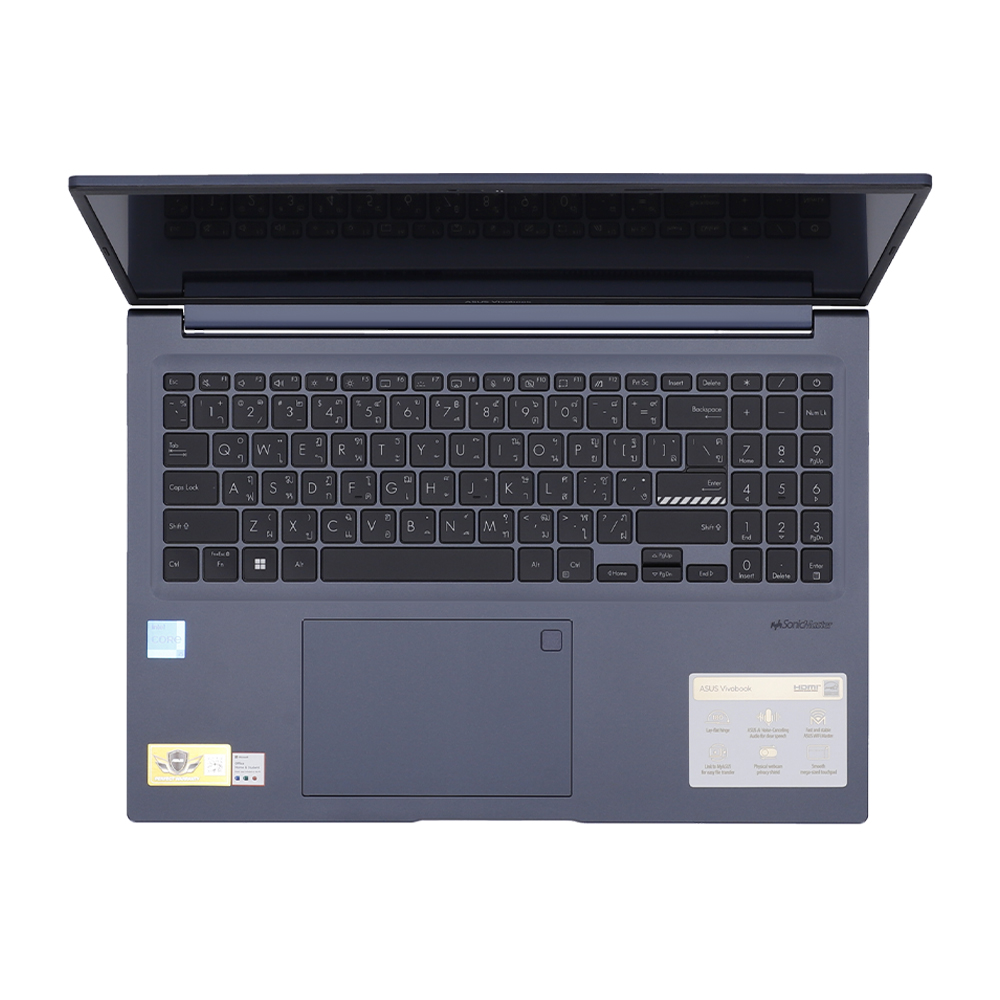
It’s our mission at ASUS to elevate human interaction with technology to a higher and more intuitive level than ever before. The latest ASUS ErgoSense keyboard are engineered to enable an unrivaled input experience that’s in harmony with how you move, feel and touch. Your comfort is our highest priority. That’s why the ErgoSense keyboard has an incredibly satisfying feel, with the optimum bounce and travel calculated with fine-tuned precision. Experience the ErgoSense keyboard, and you’ll soon find yourself cruising effortlessly through your work.
.jpg)
Webcam
Real-time webcam image optimization
ASUS 3D Noise Reduction (3DNR) Technology and the new webcam effects in MyASUS take your video-calling experience to the next level. 3DNR significantly upgrades the webcam image clarity, with a unique algorithm that sharpens images and performs real-time de-noising to make sure everything looks crisp and clear during video calls. The webcam effects in MyASUS add several useful image-processing features, including Background Blurring for enhanced privacy; Lighting Optimization to keep faces out of shadow; Motion Tracking to always keep you center-frame; and Eye Tracking to reduce the effect of your eyes wandering away from the camera.
.jpg)
ASUS Antibacterial Guard
99% bacterial inhibition. Your health safeguarded.
The surface of any laptop harbors thousands of potentially harmful bacteria. To keep your laptop hygienic, it’s protected by ASUS Antibacterial Guard — a special surface treatment that keeps the bugs at bay. In fact, Antibacterial Guard has been scientifically proven7 to inhibit the growth of bacteria8 by more than 99% over a 24-hour period, ensuring the surfaces9 of your laptop clean and sanitary for longer and reducing the spread of potentially harmful bacteria via contact.
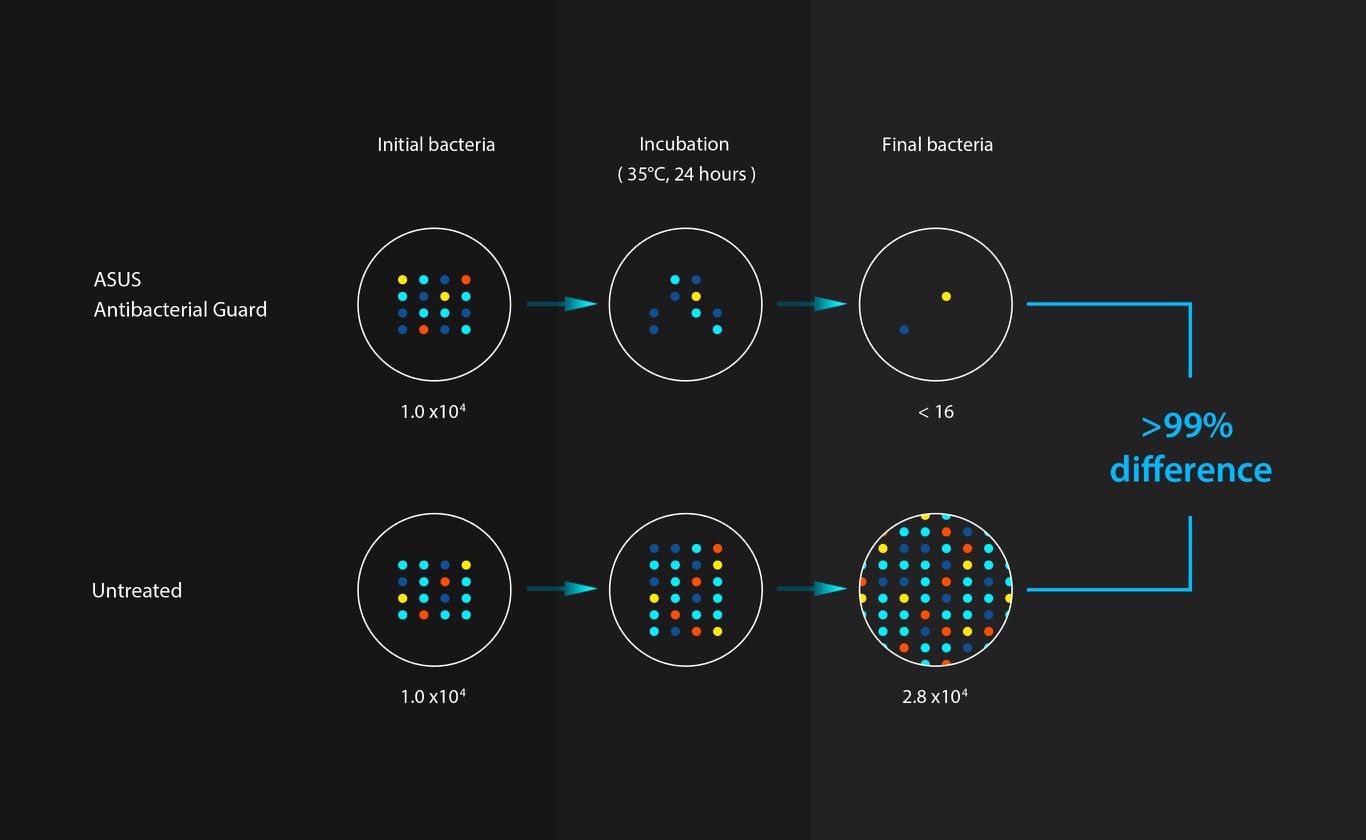
ASUS Antibacterial Guard
Without ASUS Antibacterial Guard a sample of 10,000 bacterial cells grew to 28,000. Performing the same test with Antibacterial Guard saw the count reduced to just 16 — a growth restriction of more than 99%. Our test adheres to ISO 221968, and involves both E. coli and Staphylococcus aureus.
.jpg)
Audio
Outstanding audio to hear the world
ASUS SonicMaster is a combination of hardware, software and audio tuning designed with the goal of giving you the very best audio experience. A professional-grade code ensures precise audio encoding and decoding; while amplifiers, large speakers and resonance chambers perfectly suited to Vivobook 16X ensure a powerful audio delivery and deeper bass. Additional signal processing and tuning help refine minute details, filter noise and improve audio clarity so you get truly immersive sound.
.jpg)
Noise Cancelation
Next-level ASUS AI Noise-Canceling Technology
To provide exceptional remote-working and video-conferencing experiences, Vivobook 16X features ASUS AI Noise-Canceling Technology that employs machine learning in order to isolate unwanted noise from human speech. This technology helps to filter out ambient noise for optimum group conference-call quality.
Turn on your device’s audio and try the demo to experience the amazing difference that AI Noise-Canceling Technology can make in different environments.
.jpg)
Connectivity
Perfect in every detail
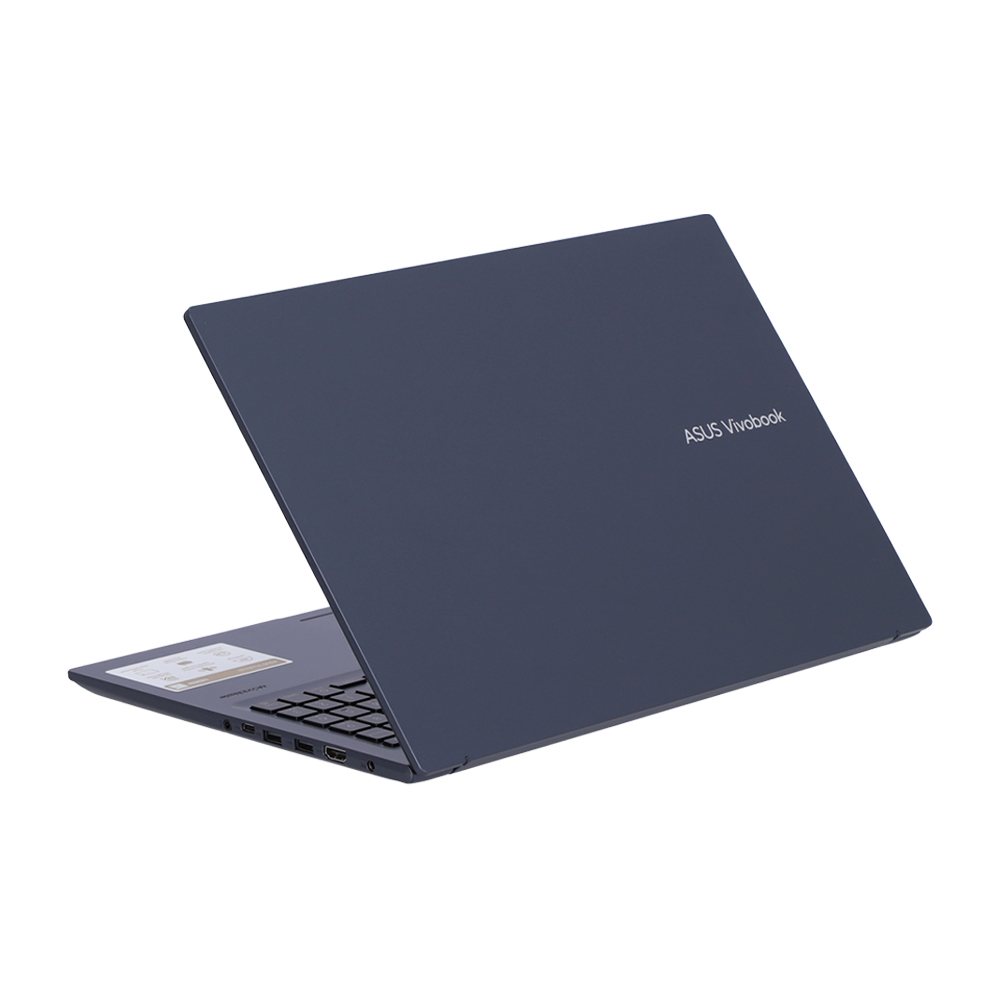
Vivobook 16X keeps you fully connected with its comprehensive I/O ports. There’s a USB-C® 3.2 Gen 1 port, two USB 3.2 Gen 1 Type-A ports, a USB 2.0 port, HDMI® output and an audio combo jack — so it’s easy to connect all your existing peripherals, displays and projectors.
.jpg)
WiFi
Fine-tuned with ASUS WiFi Master technology
Vivobook 16X offers a comprehensive range of wireless connectivity. The WiFi 6 allows you to load online content in the blink of an eye.
.jpg)
MyASUS
Your PC just got better
MyASUS provides easy access to ASUS apps that are designed to help you maintain your system, update your software, optimize your PC’s performance, and contact ASUS for after-sales service and support.
.jpg)
GlideX
Your on-the-go work and play space
GlideX is a cross-device screen-sharing solution that uses wired or wireless connections to give you a bigger and better space for work and play. With Screen Mirror you can project your device’s screen to PC for easier keyboard input on a bigger space; with Screen Extend you can create more space turning your tablet into a secondary display on the go. GlideX optimizes your workflow in the blink of an eye!.
-
The screen-to-body ratio is calculated based on the visible body area of the display when the laptop is opened to 90° and the active display area.
-
Wide-view panel is optional.
-
Performance claim is based on the Cinebench R20 Multi Core benchmark, comparing the score of Zenbook 14X UX5401ZAS tested by ASUS in January 2022 (configured with an Intel Core i7-12700H CPU, 16 GB LPDDR5, and a 1 TB PCIe 4.0 SSD) to Zenbook 14X UX5401ZA (with an Intel Core i5-12500H CPU, 8 GB LPDDR5, and a 512 GB PCIe 3.0 SSD), and Zenbook 14X UX5401EA (with an Intel Core i7-1165G7 CPU, 16 GB LPDDR4x, a 1 TB PCIe 4.0 SSD). Test settings: select Performance mode under Fan profile in MyASUS, and idle the laptop for 30 to 60 seconds prior to running the benchmark under AC mode.
-
The component placement is for reference only, and may vary by model and configuration.
-
Product weight may vary according to device configuration.
-
Backlit keyboard and integrated fingerprint sensor are optional.
-
Tested by an independent third-party laboratory according to the ISO 22196 standard (Measurement of antibacterial activity on plastics and other non-porous surfaces).
-
ISO 22196:2011 specifies a method of evaluating the antibacterial activity of antibacterial-treated plastics, and other non-porous, surfaces of products (including intermediate products).
-
ASUS Antibacterial Guard is applied on the laptop areas that users touch most frequently, including the palm rest area, keyboard, and touchpad (or ASUS NumberPad).
-
Note that the protective effects of ASUS Antibacterial Guard were tested by ASUS on April 26, 2021, and follow the ISO 22196 method on our specially-treated test samples. The tests provide a simulation of three years of wear and tear, and include exposure to salt spray, thermal shocks, and both alcohol and wool-felt tests. Actual effective antibacterial-protection period may vary depending on product configuration and usage.
-
WiFi Master test configuration: under controlled test conditions, streaming FHD YouTube videos, and AP set with one antenna at 802.11g. Actual WiFi range and performance may be affected by environmental factors. Interference from USB 3 devices may vary according to the device. Range comparisons refer to standard laptop with all-metal chassis design.
-
Battery tests conducted by ASUS on January 21, 2022 using the 1080p Video Playback scenario. Test configuration: Vivobook 16X OLED (X1603ZA), OLED panel, Intel i7-12700H and i7-1260P, 1 TB SSD, 16 GB RAM, 70 Wh battery. Test settings: WiFi enabled but disconnected (not connected to any access point), Windows Power Plan set to Balanced, display brightness set to 150 cd/m2. Actual battery life may vary depending on product configuration, usage, operational conditions and power management settings. Battery life will decrease over the lifetime of the battery.
Source: Vivobook 16X (X1603, 12th Gen Intel)