


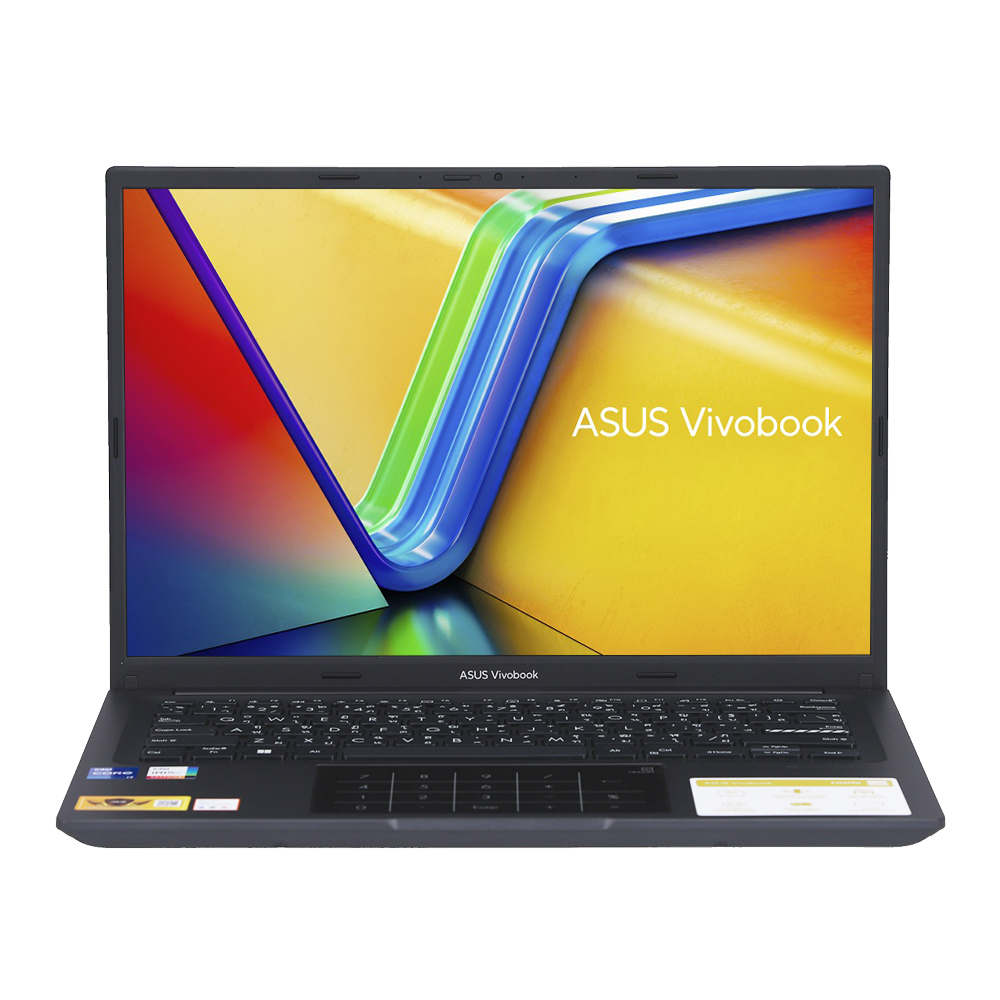

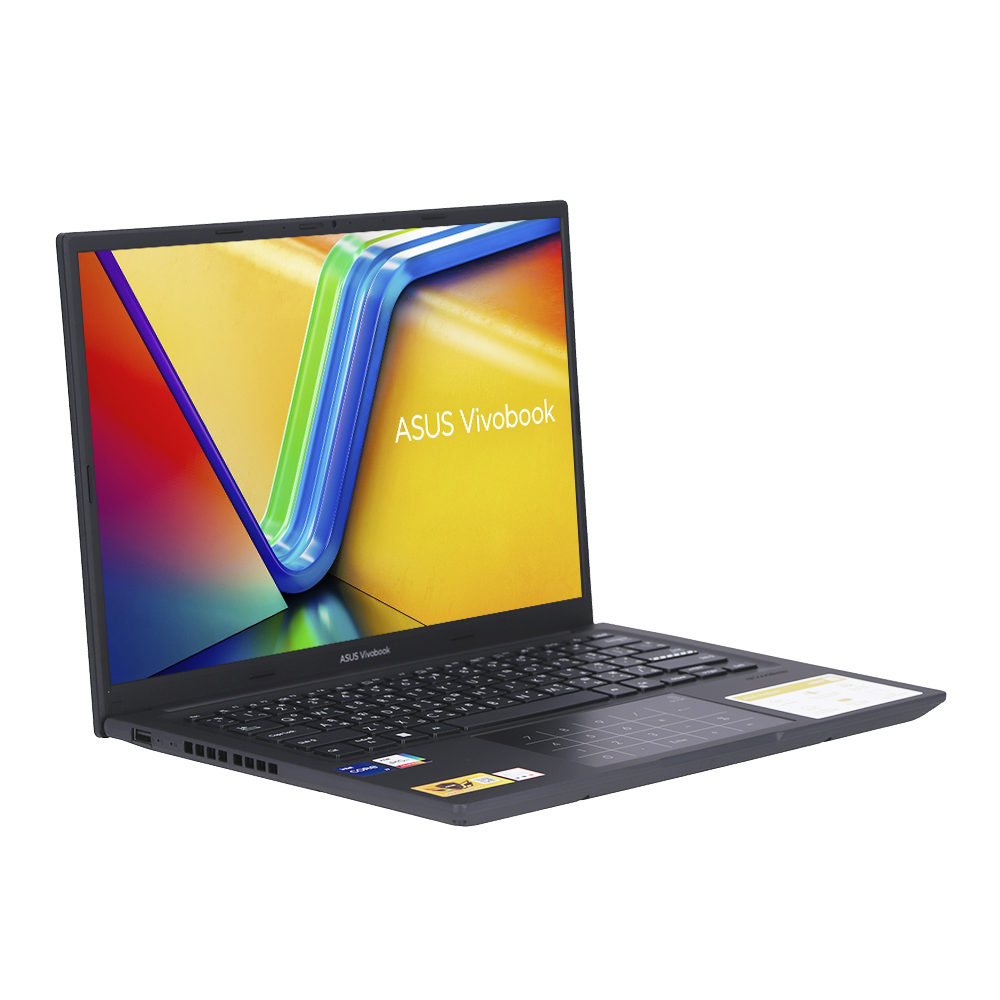
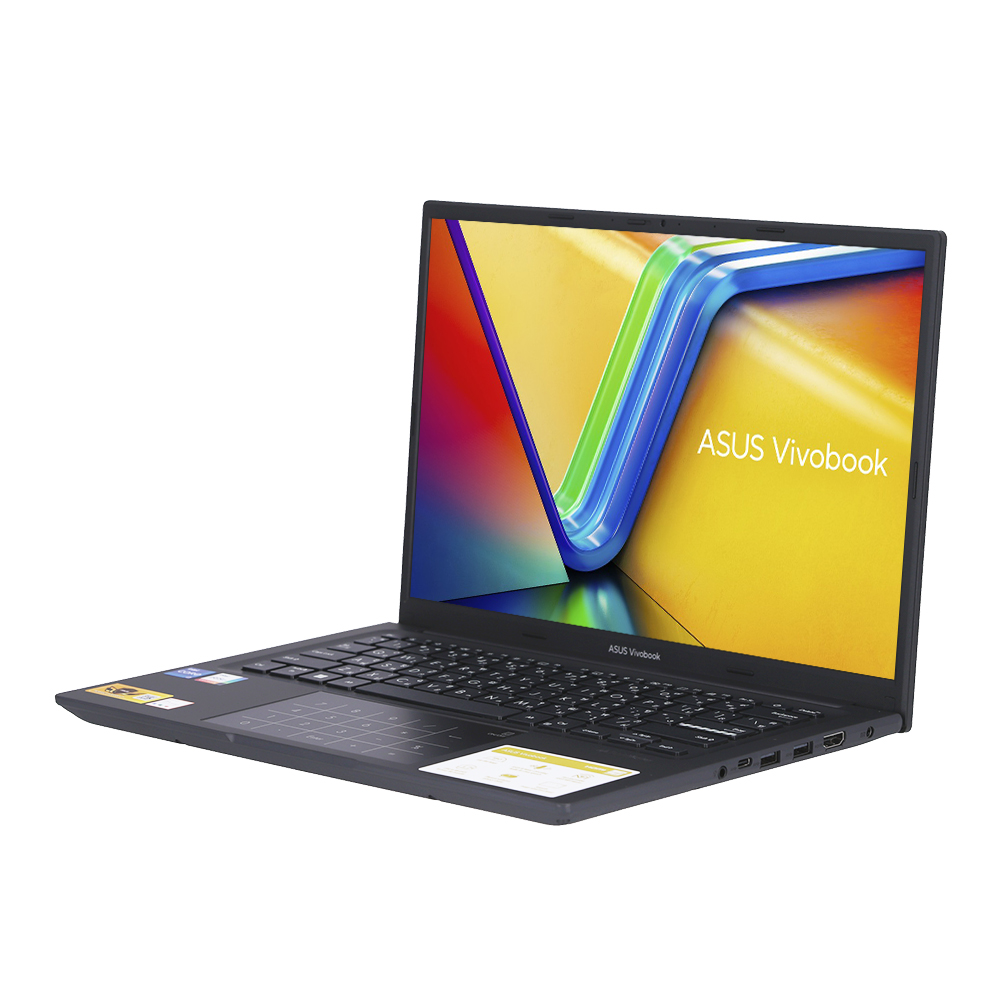
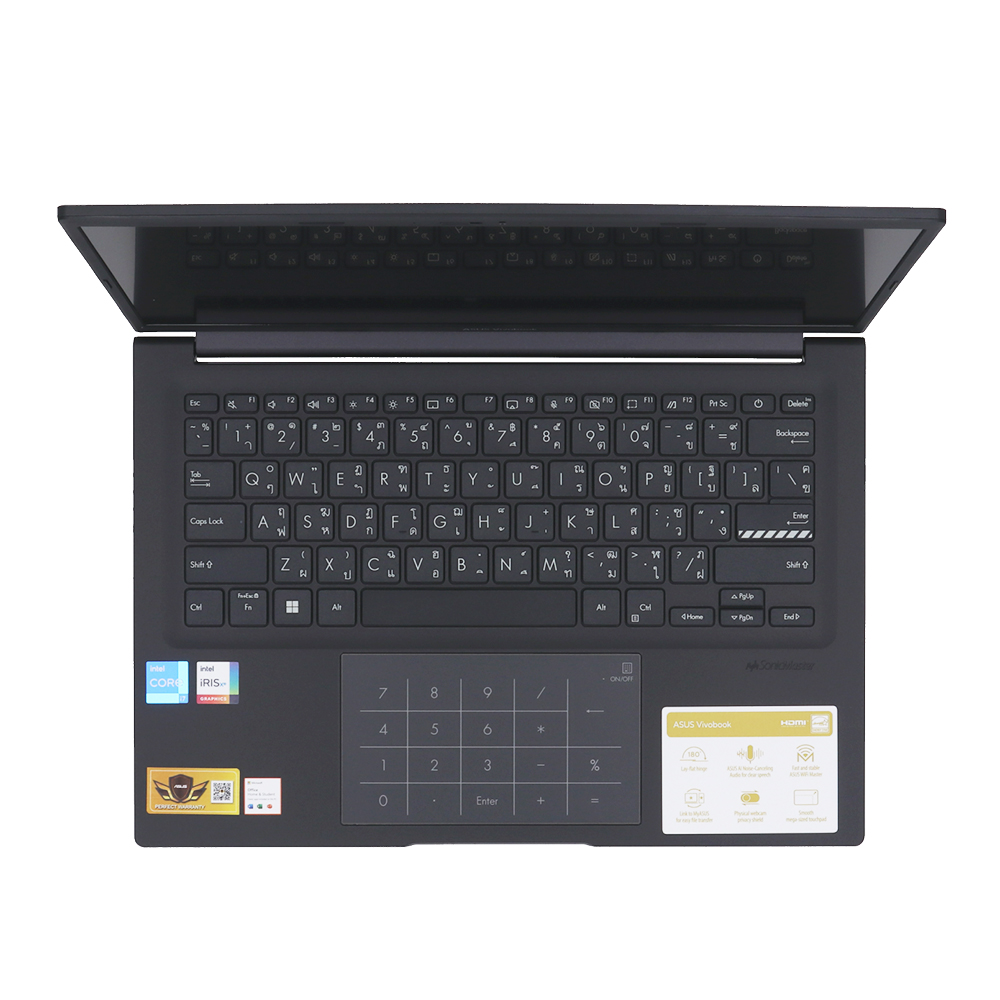
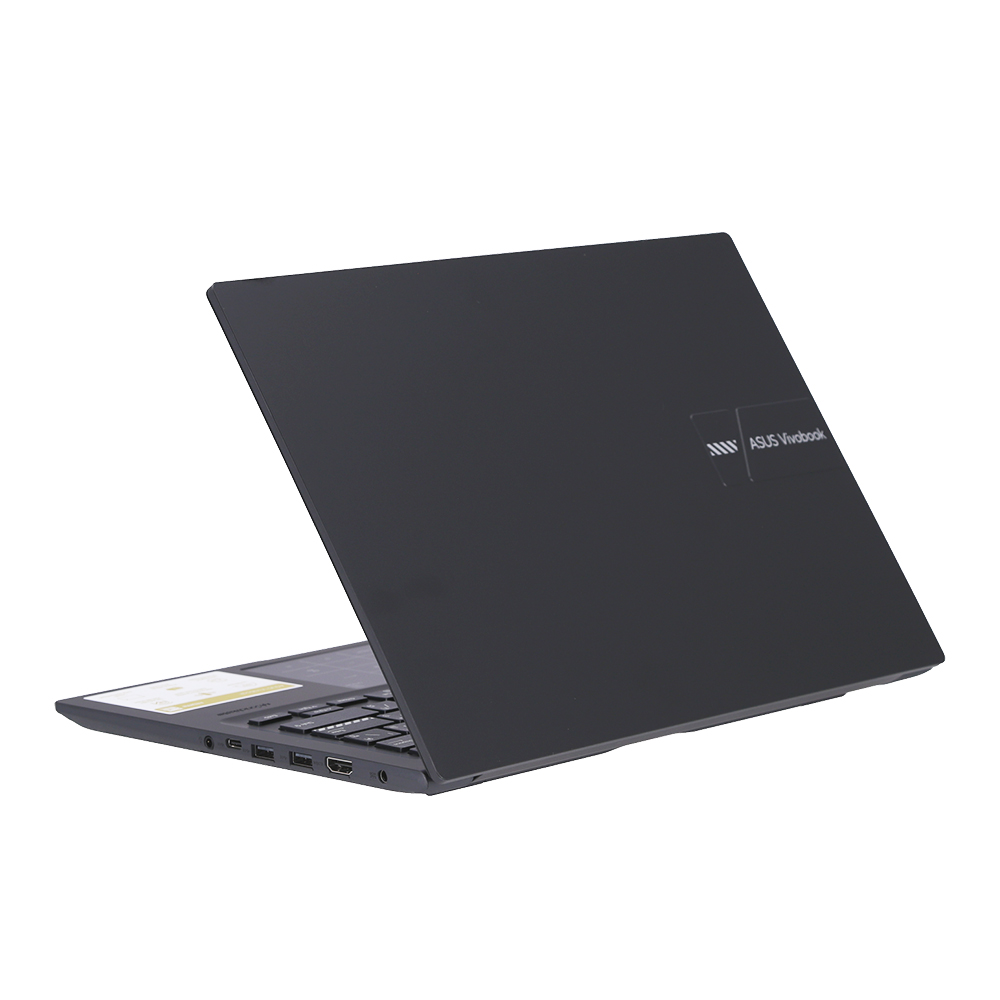

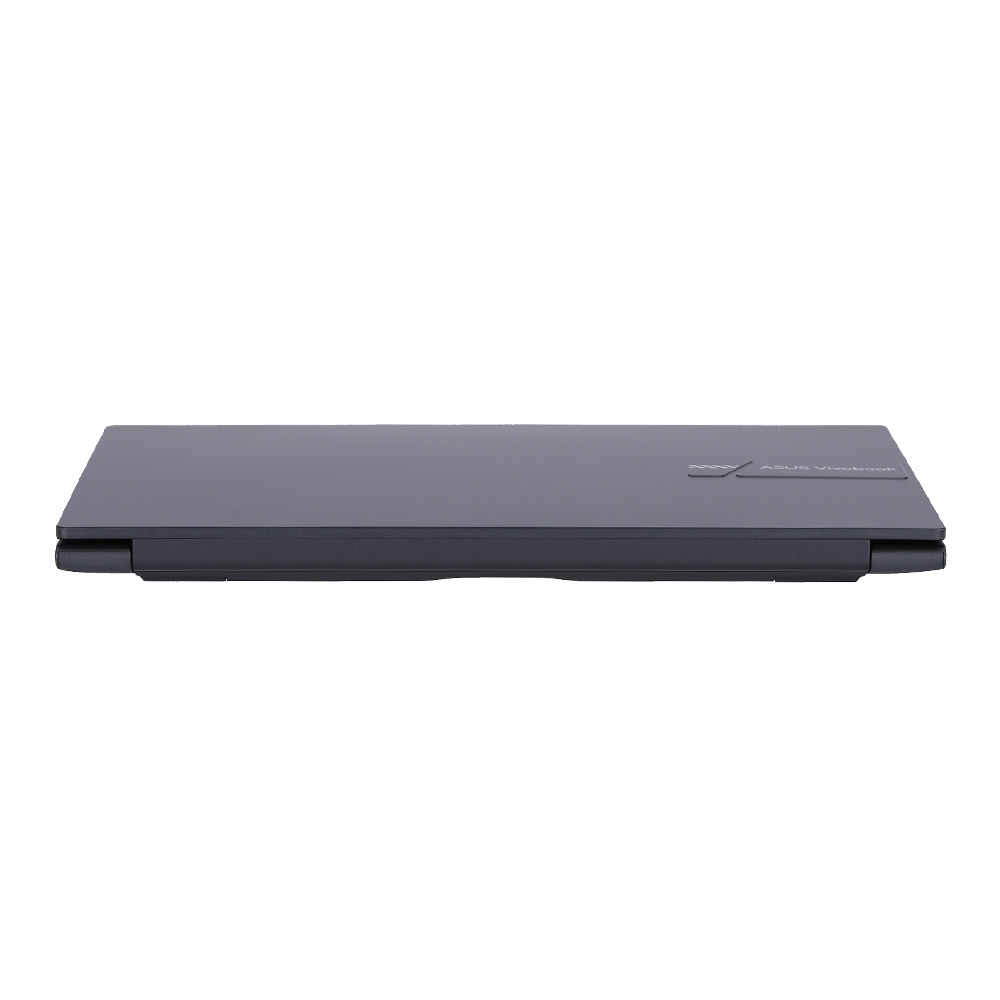


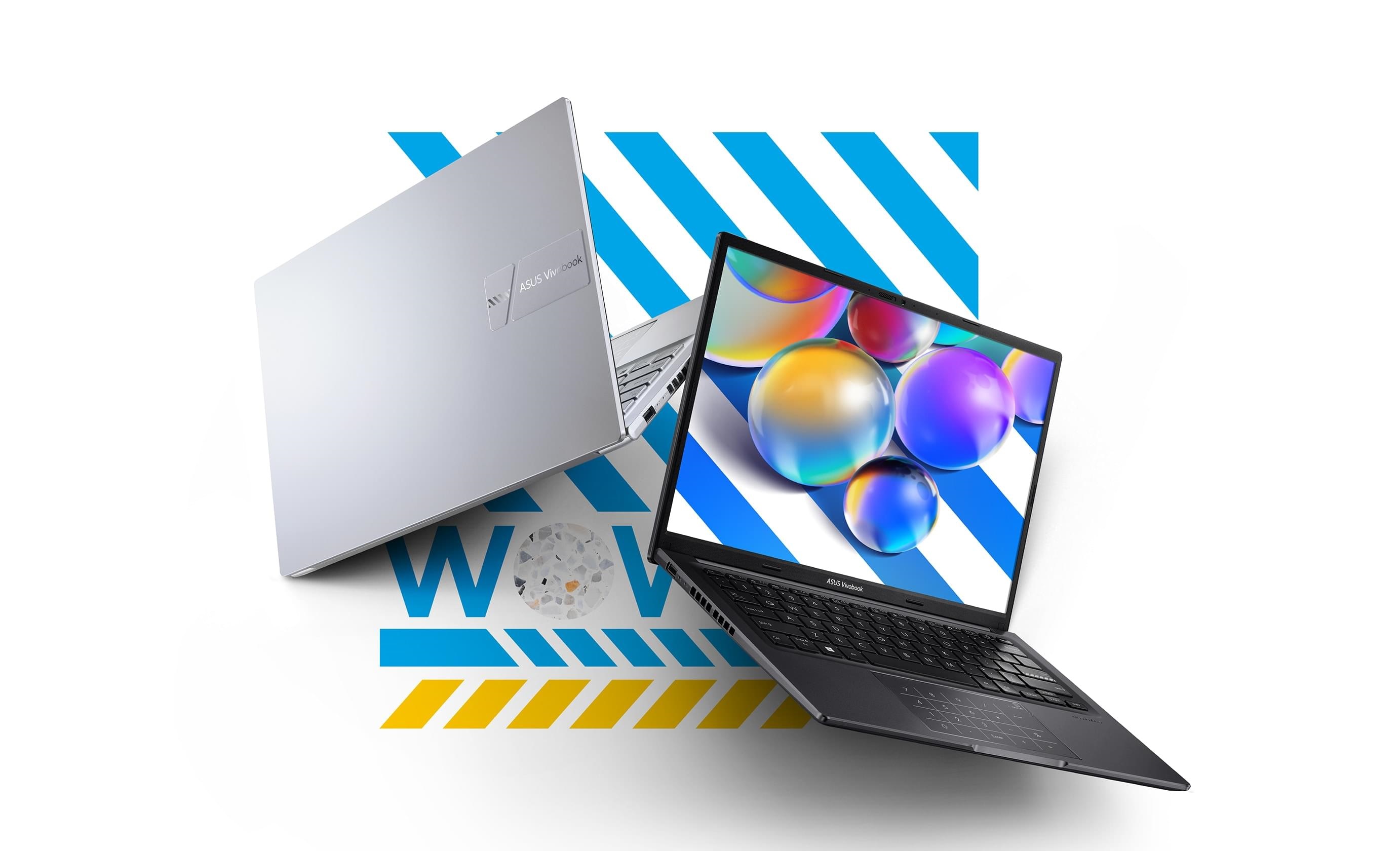
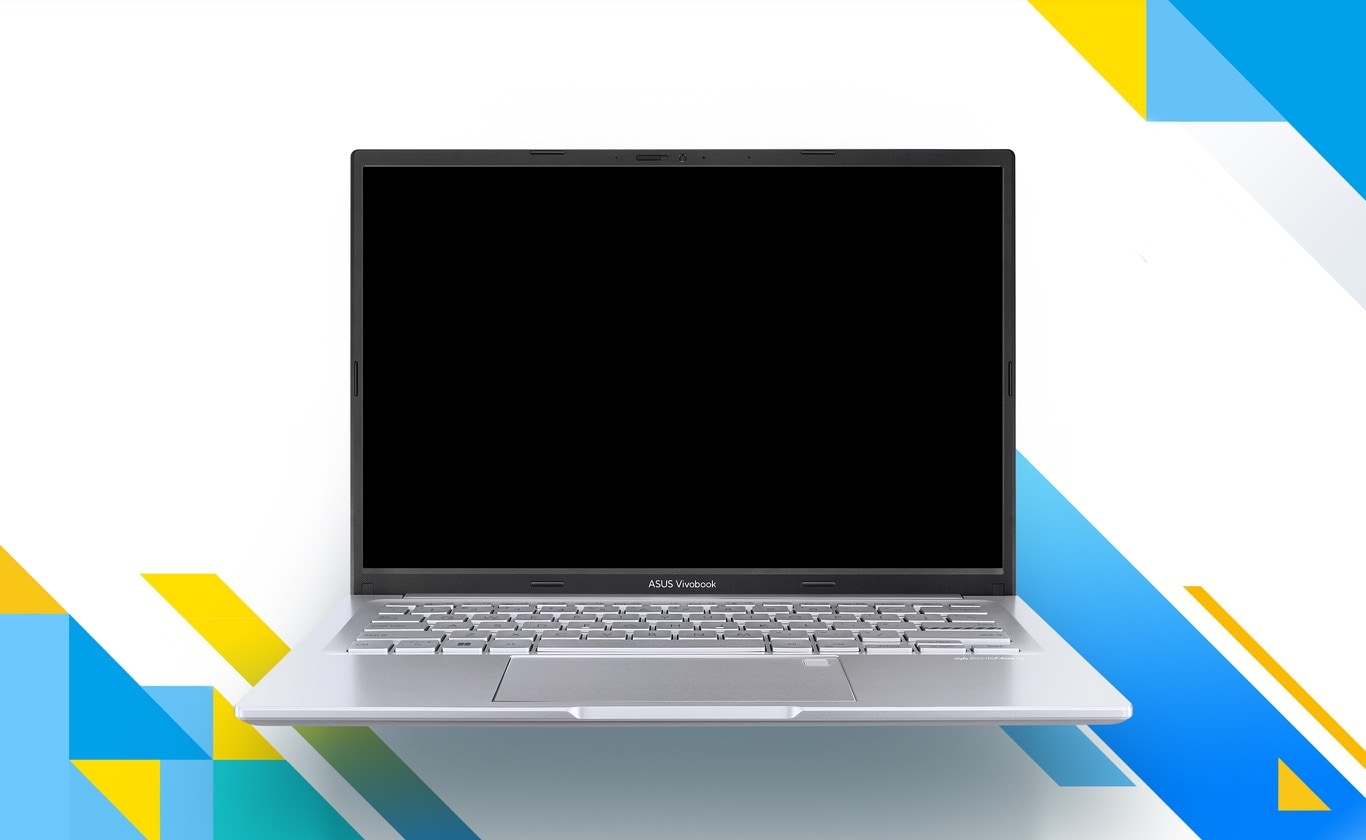
ASUS Vivobook 14 แล็ปท็อปที่อัดแน่นด้วยคุณสมบัติ อาทิเช่น บานพับแบบวางราบได้ 180° เว็บแคมชิลล์ และปุ่มฟังก์ชันไว้เปิดหรือปิดไมค์ แล็ปท็อปจะสะอาด ปลอดภัยด้วย ASUS Antimicrobial Guard Plus ยับยั้งและป้องกันไวรัสและแบคทีเรียบริเวณคีย์บอร์ดและตัวเครื่องมีความแข็งแรง ทนท่าน ผ่านมาตรฐานกองทัพ เพลิดเพลินไปกับพลังที่ลื่นไหลของ Vivobook 14!

Performance
Smooth power
Vivobook 14 ช่วยให้คุณทำงานทั้งหมดของคุณเสร็จเร็วขึ้นกว่าที่เคย ไม่ว่าจะเป็นที่ทำงาน ที่บ้าน หรือนอกบ้าน โปรเซสเซอร์ Intel® Core™ เจนเนอเรชั่น 13 พร้อมหน่วยความจำเร็ว 16 GB, ที่เก็บข้อมูล SSD ความเร็วสูง 512 GB และ WiFi 6E ทำให้ทุกสิ่งง่ายดาย
.jpg)
Dynamic Performance
Easy one-click mode switching
เพื่อใช้โปรเซสเซอร์ Intel® Core™ H ซีรีส์ เจนเนอเรชั่น 13 ได้อย่างเต็มที่ เราได้สร้างโหมดประสิทธิภาพไดนามิกที่น่าทึ่งเพื่อช่วยเพิ่มประสิทธิภาพสูงสุด โหมดประสิทธิภาพแบบไดนามิกช่วยให้คุณเปลี่ยนโหมดประสิทธิภาพได้ทุกเมื่อที่คุณต้องการ เพียงกด FN+F เพื่อปลดปล่อยพลัง 40 W ของ CPU ที่ช่วยหยุดงาน เพิ่มทุกอย่างตั้งแต่การเล่นเกมเบาๆ ไปจนถึงการทำงานหลายอย่างพร้อมกันทุกวัน10 เมื่อคุณกำลังเดินทางและต้องการอายุการใช้งานแบตเตอรี่ที่ดีที่สุด เพียงเปลี่ยนกลับเป็นโหมดมาตรฐาน คุณสามารถเลือกประสิทธิภาพที่เหมาะกับความต้องการของคุณได้มากที่สุด คุณจึงพร้อมเสมอที่จะทำทุกอย่าง
* 2.98x better performance is based on Cinebench R23 Multi Core benchmark.11

Thermal
Cooler, quieter and faster!
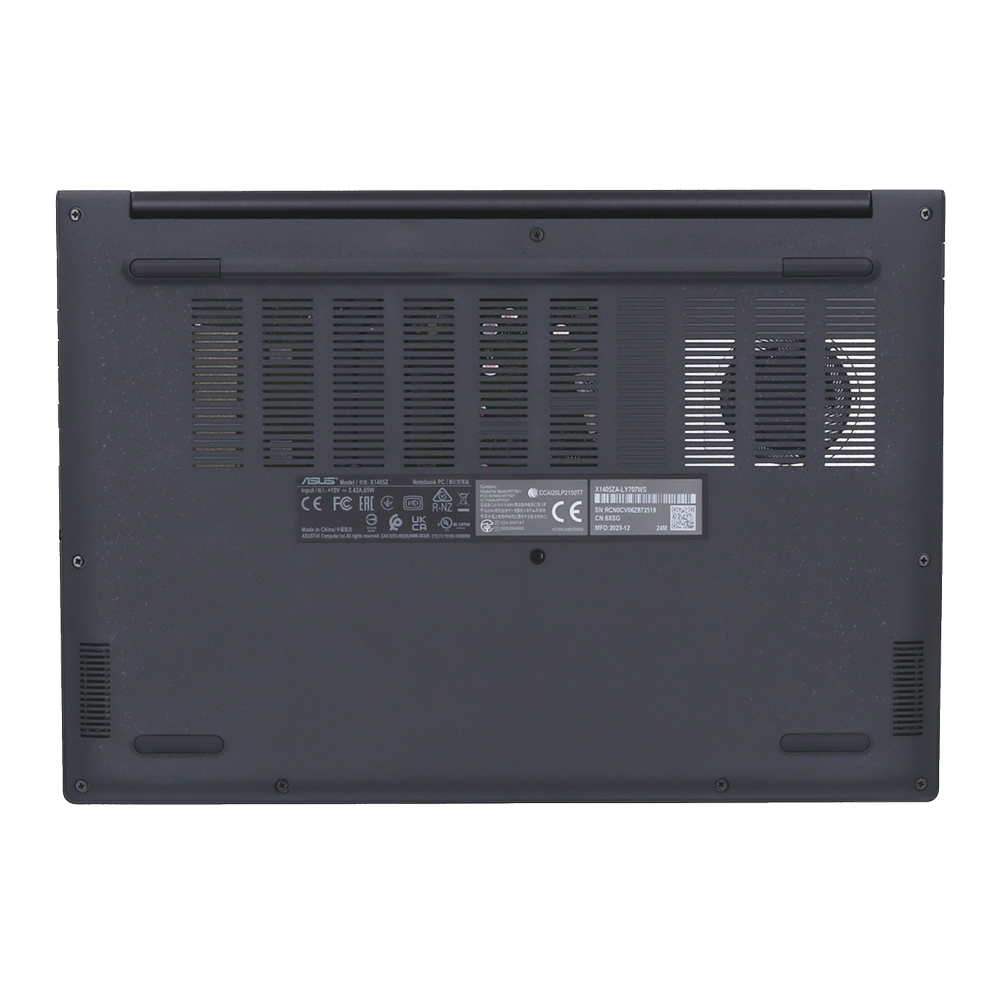
เพื่อรักษาความเย็นในทุกสถานการณ์ Vivobook 14 ใช้พัดลม IceBlade และช่องระบายอากาศคู่เพื่อเร่งการถ่ายเทความร้อนอย่างมีประสิทธิภาพเพื่อประสิทธิภาพที่ราบรื่นและเสถียร

Display
Explore a fresh new vision
สำรวจประสบการณ์การรับชมภาพที่สดใหม่ด้วยจอแสดงผล NanoEdge สามด้านที่น่าทึ่งของ Vivobook 14 พร้อมอัตราส่วนภาพ 16:10 ได้รับการรับรองจาก TÜV Rheinland สำหรับการถนอมสายตาจากแสงสีฟ้า สมบูรณ์แบบสำหรับทุกงาน ไม่ว่าจะเป็นงาน เล่น หรือความบันเทิง — ให้ Vivobook 14 เพิ่มความสดใสให้กับชีวิตคุณ!
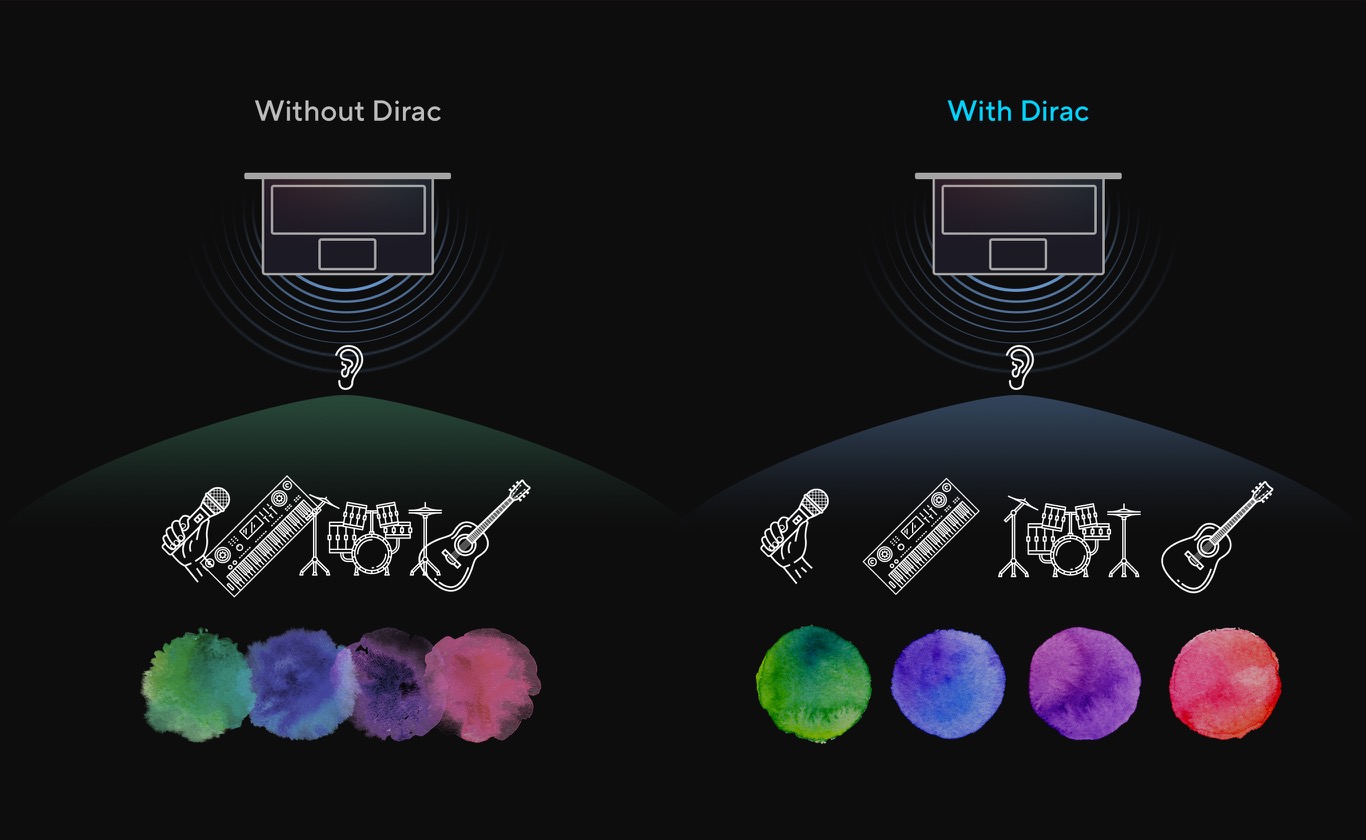
Audio-Dirac
A new perspective on laptop audio
ออกแบบโดยได้รับความช่วยเหลือจากผู้เชี่ยวชาญด้านเสียงจาก Dirac ซึ่งเป็นผู้ให้บริการโซลูชันเสียงระดับมืออาชีพ ระบบเสียงนี้มอบประสบการณ์เสียงที่ดื่มด่ำ ชัดเจน และสมดุลที่สุดเท่าที่คุณเคยได้ยินบนพีซี แล็ปท็อป หรือแท็บเล็ต คุณจะได้ยินเสียงซาวด์สเคปที่กว้างและลึกกว่าที่คุณจะจินตนาการได้ ปลดปล่อยศักยภาพด้านเสียงของแล็ปท็อปของคุณอย่างเต็มที่

ASUS Audio Booster
Upgrade your audio experience
ASUS Audio Booster ใช้อัลกอริทึมเสียง เพื่อเพิ่มระดับเสียงให้สูงถึง 1.5 เท่า และยกระดับประสบการณ์เสียงของคุณไปอีกขั้น

ASUS Antimicrobial Guard Plus
Inhibit 99% of COVID-19, flu virus & bacteria*
ASUS Antimicrobial Guard Plus เคลือบสารป้องกันในบริเวณที่สัมผัสบ่อยๆ ของแล็ปท็อปของคุณ เพื่อช่วยรักษาสุขอนามัย เทคโนโลยีนี้ช่วยในการยับยั้งและป้องกันอย่างดี* สามารถยับยั้งไวรัสและแบคทีเรีย และได้มาตรฐานระดับสากล ISO 2170214 และ 2219615 ในการยับยั้งการเจริญเติบโตของไวรัสและแบคทีเรียได้มากกว่า 99% ในช่วง 24 ชั่วโมง16
* ISO 21702 tests for SARS-CoV-2 Variants (Omicron, BA.5), H3N2, H1N1 and ISO 22196 tests for Staphylococcus and E. coli.
* Treatments17 are approved by US FIFRA18 & EU BPR19.
ASUS Antimicrobial Guard Plus
Viruses and bacteria inhibition
ไวรัสและแบคทีเรียมีอยู่ทั่วไปในชีวิตประจำวันของเรา Antimicrobial Guard Plus ยับยั้งไวรัสและแบคทีเรียได้ (ชั้นนอกสุดของไวรัสและแบคทีเรียหลายชนิด) จากพื้นผิวของส่วนที่ได้รับการปกป้อง จากการทดสอบ ISO 21702 แสดงให้เห็นว่าสามารถยับยั้งการเจริญเติบโตของ SARS-CoV-2 (COVID-19), H1N1, H3N2 (ไข้หวัดใหญ่ A) และแบคทีเรียที่เป็นอันตรายได้
ASUS Antimicrobial Guard Plus
Silver ions prevents 99% reproduction
ASUS Antimicrobial Guard Plus เคลือบสารป้องกัน24 บนแล็ปท็อป25 ที่มีซิลเวอร์ไอออนที่มีประจุบวก ซิลเวอร์ไอออนและเซลล์จุลินทรีย์ที่มีประจุลบจะถูกดึงดูดเข้าหากัน แล้วเจาะพื้นผิวเพื่อสร้างความเสียหายต่อโครงสร้างและลดการเจริญเติบโตของไวรัสและแบคทีเรียได้อย่างเป็นอย่างดี
.jpg)
User Experience
User friendly design
Unlock in one touch
การเข้าถึงอุปกรณ์ของคุณง่ายกว่าที่เคยและปลอดภัยกว่านี้! ด้วยเซ็นเซอร์ลายนิ้วมือในตัว5 บนทัชแพดและ Windows Hello คุณไม่จำเป็นต้องพิมพ์รหัสผ่านทุกครั้ง เพียงแค่สัมผัสเพียงครั้งเดียว!
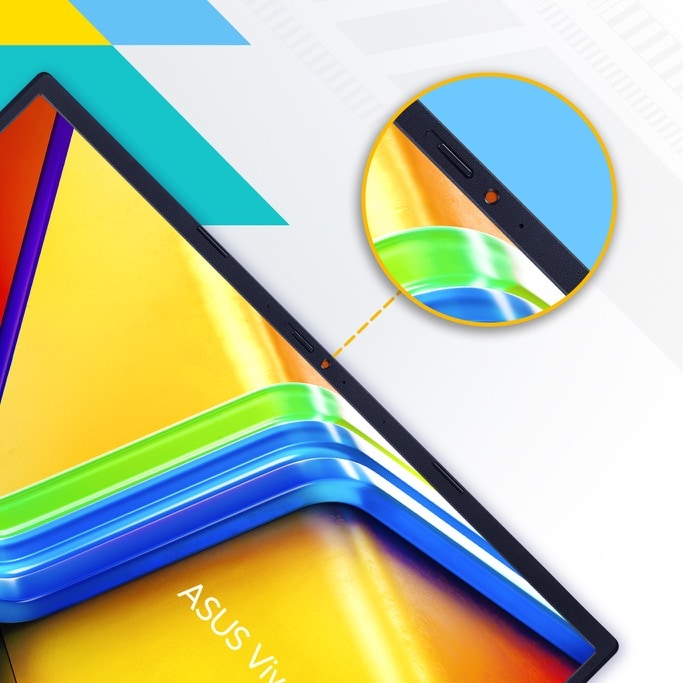
Physical webcam privacy shield
Vivobook 14 ให้ความสำคัญกับความเป็นส่วนตัวและความปลอดภัยของคุณ มีตัวเลื่อนสำหรับความเป็นส่วนตัว ปกป้องคุณจากการสอดรู้สอดเห็นและสิ่งรบกวน
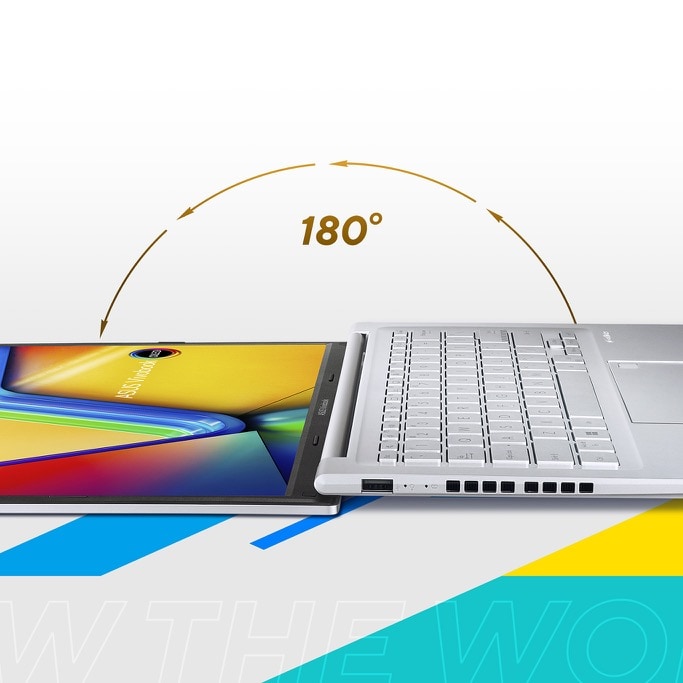
Wide open for sharing
Vivobook 14 มีบานพับแบบวางราบที่ได้รับการออกแบบทางวิศวกรรมอย่างแม่นยำ ซึ่งทำให้ง่ายต่อการแชร์เนื้อหากับผู้อื่น หรือทำงานร่วมกับกลุ่มคนรอบโต๊ะ

3DNR
Real-time webcam image optimization
เทคโนโลยี ASUS 3D Noise Reduction (3DNR) และเอฟเฟกต์เว็บแคมใหม่ใน MyASUS ยกระดับประสบการณ์การสนทนาทางวิดีโอของคุณไปอีกขั้น 3DNR ยกระดับความคมชัดของภาพเว็บแคมอย่างมีนัยสำคัญด้วยอัลกอริธึมเฉพาะที่ปรับภาพให้คมชัดขึ้นและดำเนินการลดสัญญาณรบกวนแบบเรียลไทม์เพื่อให้แน่ใจว่าทุกอย่างจะดูคมชัดระหว่างการสนทนาทางวิดีโอ เอฟเฟ็กต์เว็บแคมใน MyASUS เพิ่มคุณสมบัติการประมวลผลภาพที่มีประโยชน์หลายอย่าง รวมถึงพื้นหลังเบลอเพื่อเพิ่มความเป็นส่วนตัว; การปรับแสงให้เหมาะสมเพื่อไม่ให้ใบหน้าอยู่ในเงามืด การติดตามการเคลื่อนไหวเพื่อให้คุณอยู่ตรงกลางเฟรมเสมอ และ Eye Tracking เพื่อลดผลกระทบของการที่ดวงตาของคุณละสายตาไปจากกล้อง
AI Noise Cancelation
Next-level AI noise-canceling audio technology
เพื่อมอบประสบการณ์การทำงานระยะไกลและการประชุมทางวิดีโอที่ยอดเยี่ยม นำเสนอเทคโนโลยีตัดเสียงรบกวน AI ของ ASUS ที่ใช้การเรียนรู้ของเครื่องเพื่อแยกเสียงรบกวนที่ไม่ต้องการออกจากเสียงพูดของมนุษย์ เทคโนโลยีนี้ช่วยกรองเสียงรบกวนรอบข้างเพื่อให้ได้คุณภาพการประชุมทางโทรศัพท์แบบกลุ่มที่เหมาะสมที่สุด คุณลักษณะไมโครโฟนตัดเสียงรบกวน ASUS AI ในแอป MyASUS สามารถกรองเสียงรบกวนรอบข้างได้ — ดังนั้นคุณจะได้ยินสิ่งที่คนอื่นพูด
.jpg)
Conference Call
Conference calls with more possibilities
การตัดเสียงรบกวนสามารถเปิดใช้งานได้จากการประชุมตัวต่อตัวหรือหลายคน ด้วยระบบที่อัปเกรดที่เปิดใช้งานผ่านแอป MyASUS — รับประกันคุณภาพเสียงการประชุมระดับสูงสุด
Single presenter conference call
โหมดการประชุมสำหรับผู้นำเสนอคนเดียวสามารถกรองเสียงรบกวนและเสียงอื่นๆ ออกไปได้ และทำให้มั่นใจได้ว่าจะได้ยินเฉพาะเสียงที่อยู่ด้านหน้าแล็ปท็อปเท่านั้น
.jpg)
Multi-presenter conference call
โหมดการประชุมแบบหลายคน จะมีการกรองเสียงรบกวนรอบข้างออก และโฟกัสกับเสียงที่อยู่ในการสนทนาจากทุกทิศทางเท่านั้น จึงสามารถได้ยินเสียงทั้งหมดได้ชัดเจนยิ่งขึ้น

Connectivity
Perfect in every detail
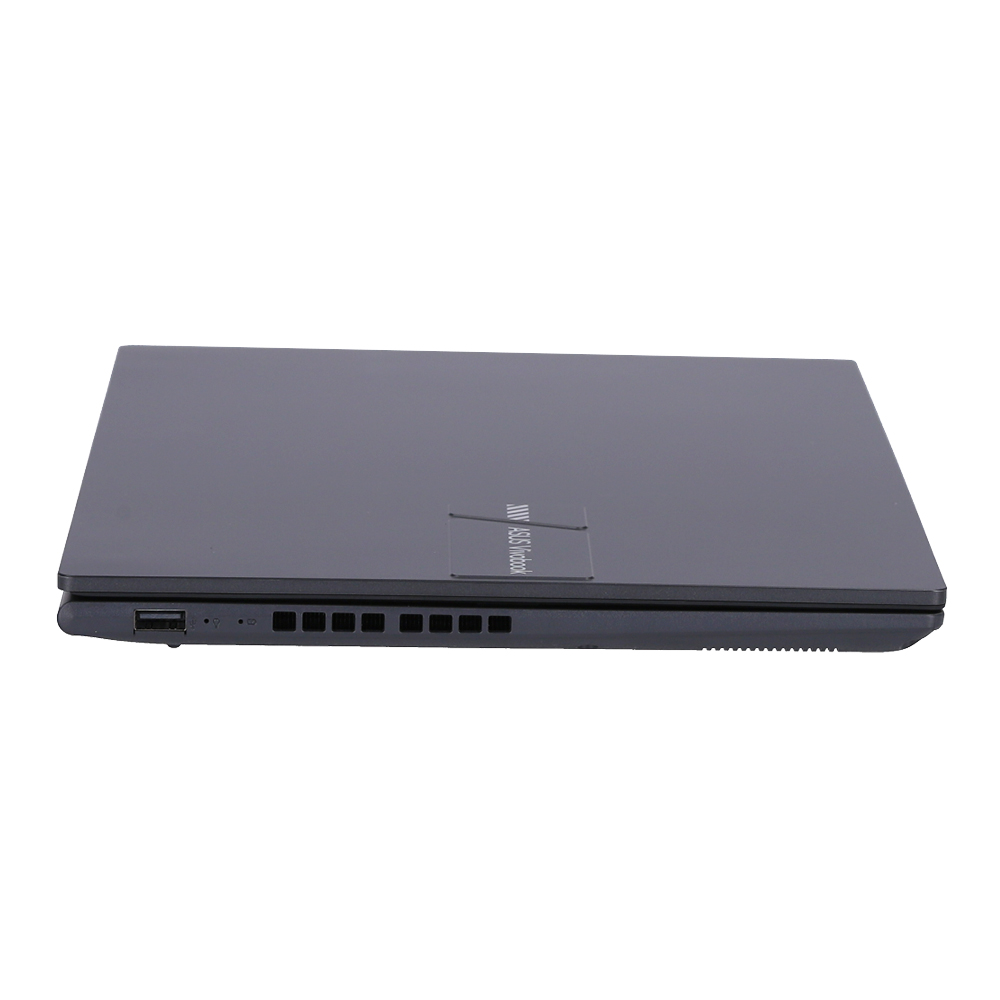
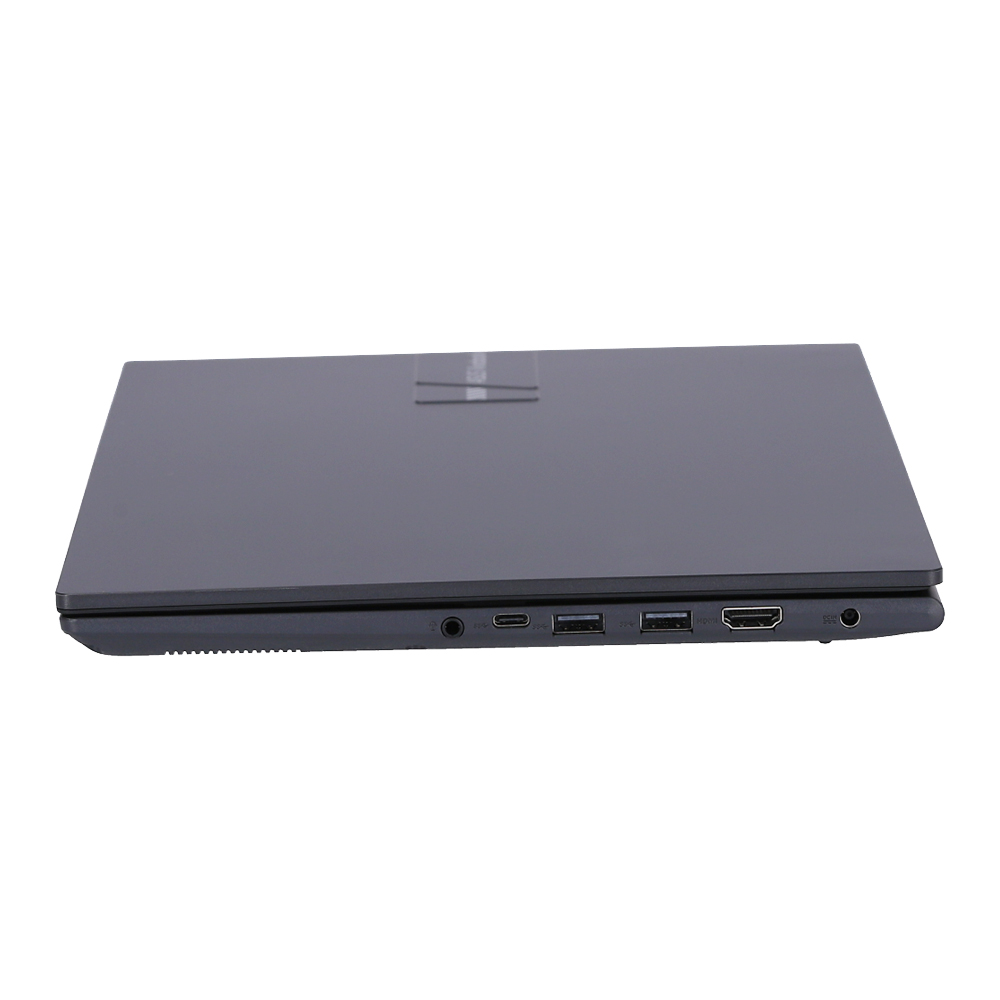
Vivobook 14 ช่วยให้คุณเชื่อมต่อได้อย่างเต็มที่ด้วยพอร์ต I/O ที่ครอบคลุม มีพอร์ต USB-C® 3.2 Gen 1 พร้อมการจ่ายพลังงาน, พอร์ต USB 3.2 Gen 1 Type-A สองพอร์ต, พอร์ต USB 2.0 หนึ่งพอร์ต, เอาต์พุต HDMI® และแจ็คเสียงคอมโบ — ดังนั้นจึงเป็นเรื่องง่ายที่จะเชื่อมต่ออุปกรณ์ต่อพ่วงทั้งหมดของคุณ จอแสดงผล และโปรเจ็คเตอร์

Battery
Charge with speed
Vivobook 14 รองรับการชาร์จอย่างรวดเร็ว ซึ่งช่วยให้คุณชาร์จแบตเตอรี่ต่ำถึง 60% ในเวลาเพียง 49 นาที คุณจึงพร้อมใช้งานได้เร็วกว่าที่เคย!
.jpg)
Design
Be extraordinary!
Vivobook 14 นั้นไม่ธรรมดาด้วยการออกแบบที่สะอาดตา และเบาพอสำหรับการถือด้วยมือเดียวอย่างง่ายดาย ยิ่งไปกว่านั้น Vivobook 14 ยังใช้วัสดุรีไซเคิล(PCR) ที่เป็นมิตรกับสิ่งแวดล้อม27 ช่วยให้คุณมีส่วนร่วมในความยั่งยืนอย่างมีสไตล์!

Military-grade
World’s most strictly tested US military-grade laptop durability29
แล็ปท็อป ASUS8 ได้รับการออกแบบทางวิศวกรรมโดยมีความเหนียวเป็นพิเศษตรงตามมาตรฐานเกรดทางทหารของสหรัฐอเมริกา MIL-STD-810H ผ่านการทดสอบอย่างเข้มงวด 12 วิธีและขั้นตอนการทดสอบลงโทษ 26 ขั้นตอน ซึ่งเกินมาตรฐานอุตสาหกรรม ผลลัพธ์คือกลุ่มผลิตภัณฑ์ที่มีชื่อเสียงด้านความน่าเชื่อถือและความทนทาน ปัจจัยเหล่านี้ยังส่งผลดีต่อการมีอายุยืนยาวและความยั่งยืน ดังนั้นคุณจึงสามารถทำงาน เดินทาง หรือพักผ่อนด้วยความมั่นใจว่าแล็ปท็อป ASUS ของคุณพร้อมสำหรับโลกแห่งความเป็นจริง — ในวันนี้และในอนาคตอันยาวไกล
-
The visual appearance of OLED displays may change over the product’s lifetime. This is expected behavior that can include image persistence or burn-in, where the display shows a faint remnant of an image even after a new image appears on the screen. This tends to occur only in extreme use cases, such as when a static, high-contrast image is continuously displayed for prolonged periods of time. ASUS laptops with an OLED display minimize this risk by setting Windows’s Dark mode as default, as well as shortening the idle time before the screen is turned off — both on mains (AC) and battery (DC) power. This dual approach minimizes the potential for burn-in to maximize the lifespan of your OLED display lifespan, and also reduces unnecessary power draw for optimal battery life. We also recommended adjust the brightness of your OLED display to complement the ambient lighting in your environment, rather than keeping the screen at maximum brightness at all times. You should also ensure that you have an animated, dark-background screensaver enabled in the Windows Settings tool.
-
Average test results: Delta E < 1.5, +/- 0.5. Over time, the Delta E value of the display may change. It is recommended to recalibrate the color to ensure color accuracy.
-
Maximum RAM capacity may vary according to device configuration.
-
Maximum SSD capacity may vary according to device configuration.
-
Backlit keyboard and integrated fingerprint sensor are optional.
-
ASUS NumberPad 2.0 is optional. Please note that all versions of NumberPad 2.0 only work with the Microsoft Windows operating system.
-
COVID-19, H3N2, H1N1, E. coli and Staphylococcus tests were performed by independent third-party laboratories: Boken Quality Evaluation Institute, Japan Textile Products Quality and Technology Center, and National Defense Medical Center.
-
The testing regime includes the requirements of both military-grade standards and ASUS quality tests, and varies depending on device. MIL-STD-810 testing is conducted on selected ASUS products only. Note that the MIL-STD-810 testing helps to ensure the quality of ASUS products but does not indicate a particular fitness for military use. The test is performed under laboratory conditions. Any damage caused by attempts to replicate these test conditions would be considered accidental, and would not be covered by the standard ASUS warranty. Additional coverage is available with ASUS Premium Care.
-
To properly enable Iris® Xe Graphics, the system must be in dual-channel memory configuration.
-
Dynamic Performance mode can only be activated when the laptop is connected to AC power and has more than 40% charge. In order to maintain battery life, the system will automatically revert to Standard mode when you reboot it or enter modern standby, or when battery is below 40%.
-
Performance claim is based on the Cinebench R23 Multi Core benchmark, comparing the score of Vivobook 16 X1605VA tested by ASUS in Nov 2022 (configured with an Intel Core i9-13900H CPU, 16 GB DDR4, and a 1TB PCIe 3.0 SSD) to Vivobook 16 X1605VA tested by ASUS in Nov 2022 (with an Intel Core i7-13700H CPU, 12 GB DDR4, and a 512GB PCIe 3.0 SSD), and Vivobook 16 X1605ZA (with an Intel Core i7-1255U CPU, 16 GB DDR4, and a 1 TB PCIe 3.0 SDD). Test settings: select Performance mode under Fan profile in MyASUS, and idle the laptop for 10mins prior to running the benchmark under AC mode.
-
Compared to average LCD laptop panel. Average LCD display has 10 ms response time.
-
Compared to average LCD displays in the market, measuring energy emission of blue light in between 415-455 nm wavelength.
-
ISO 21702 specifies proper methods for measuring antiviral activity on plastics and other non-porous surfaces of antiviral-treated products. Test Viruses used in this International Standard are as follows: Influenza: An enveloped virus known to cause respiratory tract infection in humans. Feline calicivirus: A non-enveloped virus used in place of noroviruses known to cause enteric pathogens due to similar biological properties.
-
ISO 22196:2011 specifies a method of evaluating the antibacterial activity of antibacterial-treated plastics, and other non-porous, surfaces of products (including intermediate products).
-
Clinical testing using the ISO 21702 and ISO 22196 standard protocol proved that viral and bacterial growth were inhibited by 99% over a 24-hour period. A 99% reduction in potentially harmful microorganisms is defined as the number of viruses and bacteria on the surface dropping from 1,000,000 (cfu/pfu) to 100 (cfu/pfu).
-
Antimicrobial treatments are manufactured by Co-Action Corporation.
-
The Federal Insecticide, Fungicide, and Rodenticide Act (FIFRA) is the Federal statute that governs the registration, distribution, sale, and use of pesticides in the United States.
-
The Biocidal Products Regulation (BPR, Regulation (EU) 528/2012) concerns the placing on the market and use of biocidal products, which are used to protect humans, animals, materials or articles against harmful organisms like pests or bacteria, by the action of the active substances contained in the biocidal product.
-
Note that the protective effects of ASUS Antibacterial Guard were tested by ASUS on April 26, 2021, and follow the ISO 22196 method on our specially-treated test samples. The tests provide a simulation of three years of wear and tear, and include exposure to salt spray, thermal shocks, and both alcohol and wool-felt tests. Actual effective antibacterial-protection period may vary depending on product configuration and usage.
-
As of 22 August 2022, refer to WHO Coronavirus (COVID-19) Dashboard. https://covid19.who.int/
-
Learn more: https://www.cdc.gov/flu/about/viruses/index.html
-
Learn more: https://www.cdc.gov/ecoli/ecoli-prevention.html
-
The actual composition of ASUS Antimicrobial Guard Plus may vary.
-
ASUS Antimicrobial Guard Plus is applied to the laptop areas that users touch most frequently, including the palm rest area, keyboard, and touchpad. However, laptops with non-backlit keyboards use Antimicrobial Guard. A sticker on the laptop will help to identify the device is covered by Antimicrobial Guard Plus or Antimicrobial Guard due to different spec configuration.
-
Charges the battery to up to 50% within 30 minutes when the system is off or in Standby mode. Power adapter with a minimum capacity of 65 watts is required. After charging has reached 50% capacity, charging will resume at normal rate. Charging time may vary +/-10% due to system tolerance.
-
Post-Consumer Recycled (PCR) materials may vary according to device configuration.
-
Product weight may vary according to device configuration.
-
Selected products are tested using enhanced military-grade MIL-STD-810H durability standards, with 12 test methods and 26 test procedures, to ensure extraordinary toughness. Based on ASUS internal market research using available information and testing reports from main laptop brand websites on Oct 28, 2022, ASUS consumer laptops use a regime consisting of 26 test procedures, which is the consumer laptop industry’s strictest and most extensive test regime for the MIL-STD-810H standard.
-
EPEAT registered where applicable. EPEAT registration varies by country. See www.epeat.net for registration status by country.
-
Percentage varies according to device configuration.
Source : ASUS Vivobook 14 (X1405)